
Stone Visualizer: Compare Natural and Stone-Look Finishes With Realistic Room Previews
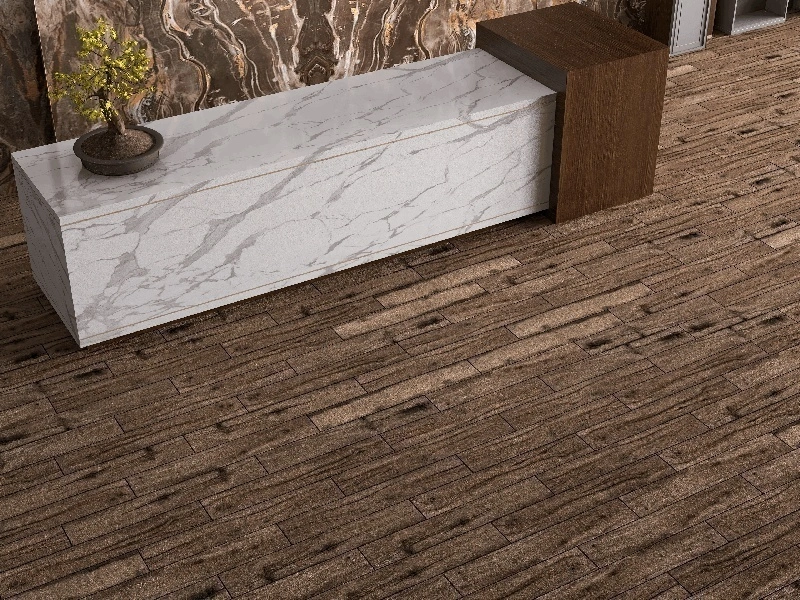
A stone visualizer helps you choose stone-inspired surfaces by showing how a finish will read across a full room, not just a sample. It is especially useful when you are deciding between warm and cool stone tones, textured versus smooth finishes, and small-format patterns versus large-format slabs.
Why Stone Selections Often Go Wrong
Stone is affected by lighting, scale, and surrounding materials. A beige stone can turn yellow next to warm wood, while a gray stone can feel blue under cool LEDs. Visual previews reduce these surprises by letting you test stone in context.
What to Validate With a Stone Visualizer
Texture and Shadow
Textured stone looks rich, but it also creates stronger shadows and can make a space feel busier. Visualization helps you decide if you want a calm surface or a bold, tactile wall.
Grout Contrast
Grout can either disappear or become a grid. A stone visualizer lets you evaluate grout tone quickly so you can choose a cleaner “slab” look or a more defined modular pattern.
Layout Direction
Stone-look planks and rectangular tiles read differently depending on direction. Previewing vertical versus horizontal layouts helps you control whether a room feels taller, wider, or more structured.
Using Tiles Visualizer for Stone Previews
With Tiles Visualizer, you can apply stone-look tiles to walls, floors, or both in a room photo or template scene. This makes it easier to compare multiple stone options side-by-side and align decisions with clients and contractors. Export JPG previews for approvals before purchase.
Stone Visualizer Ideas by Space
Outdoor Patios and Facades
Outdoor stone choices need the right “weight” and texture. Visualizing the surface across steps, boundary edges, and exterior walls reduces mistakes before ordering.
Bathrooms and Wet Areas
Stone looks can be luxurious in showers and behind vanities. Previewing the full wall helps you avoid pattern overload and choose a finish that stays timeless.
Retail and Hospitality
Stone-style surfaces often set the tone for brand experience. Use previews to validate whether the floor reads premium from a distance and whether the wall texture complements lighting design.
Frequently Asked Questions
Does a stone visualizer work for both natural stone and stone-look tiles?
Yes. The same workflow helps you approve texture, tone, and layout, whether you are specifying real stone or porcelain stone looks.
How do I get started?
Try Tiles Visualizer at ai.tilepreview.com and share JPG previews for quick approvals.