
Carpet Visualizer: Preview Carpet and Carpet-Tile Floors in Real Rooms Before Installation
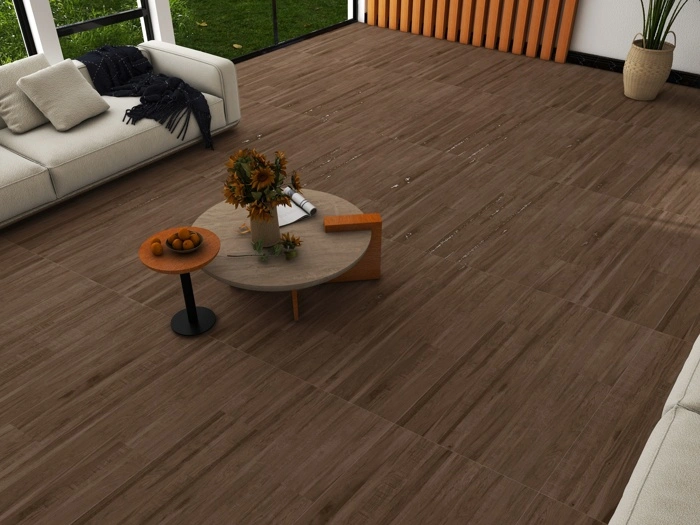
A carpet visualizer makes flooring decisions easier by showing how carpet will look across a full room floor, not just in a catalogue. This is especially helpful in offices, hotels, and multi-room projects where pattern scale and color consistency matter.
Why Carpet Choices Need Visualization
Lighting Changes Color Dramatically
Carpet can look warmer under tungsten lighting and cooler under daylight or LEDs. A realistic preview helps you choose a color that stays stable across your actual lighting conditions.
Pattern Scale Is Hard to Judge
Small carpet patterns can look noisy in large open areas, while subtle textures can disappear. Visualizing the full floor helps you select a pattern that feels intentional at room scale.
Stakeholder Approval Is Often Slow
Commercial carpet projects often involve multiple reviewers. A carpet visualizer produces a single preview image that everyone can approve, reducing back-and-forth and avoiding last-minute changes.
Carpet Tiles: The Most Common Visualizer Use Case
Many workplaces use carpet tiles because they are modular and easier to replace. Visual previews help you validate grid direction, border details, and accent zones (for example, reception paths or collaboration areas) before installation.
How Tiles Visualizer Can Help With Carpet-Style Floor Previews
If your workflow requires a quick, shareable room preview, Tiles Visualizer can generate a realistic floor visualization and export a JPG that can be shared for approval. This is useful for comparing multiple floor options in a consistent room view and aligning decisions fast.
Frequently Asked Questions
Can I use a carpet visualizer for hotel corridors or office floors?
Yes. Those are two of the most common scenarios where pattern direction and repeat need to be approved visually before ordering.
How do I start?
Try the visualizer at ai.tilepreview.com and export a JPG preview to share with your team.